

The holidays mean long gaming sessions, guests peeking at your setup, and maybe a few new gifts landing on the desk. It is the perfect moment to give your gaming desk a proper upgrade. In this guide we break the job into six simple steps, each with a 3D printed piece that makes the setup tidier and more personal.
Step 1: Give your controller a proper home

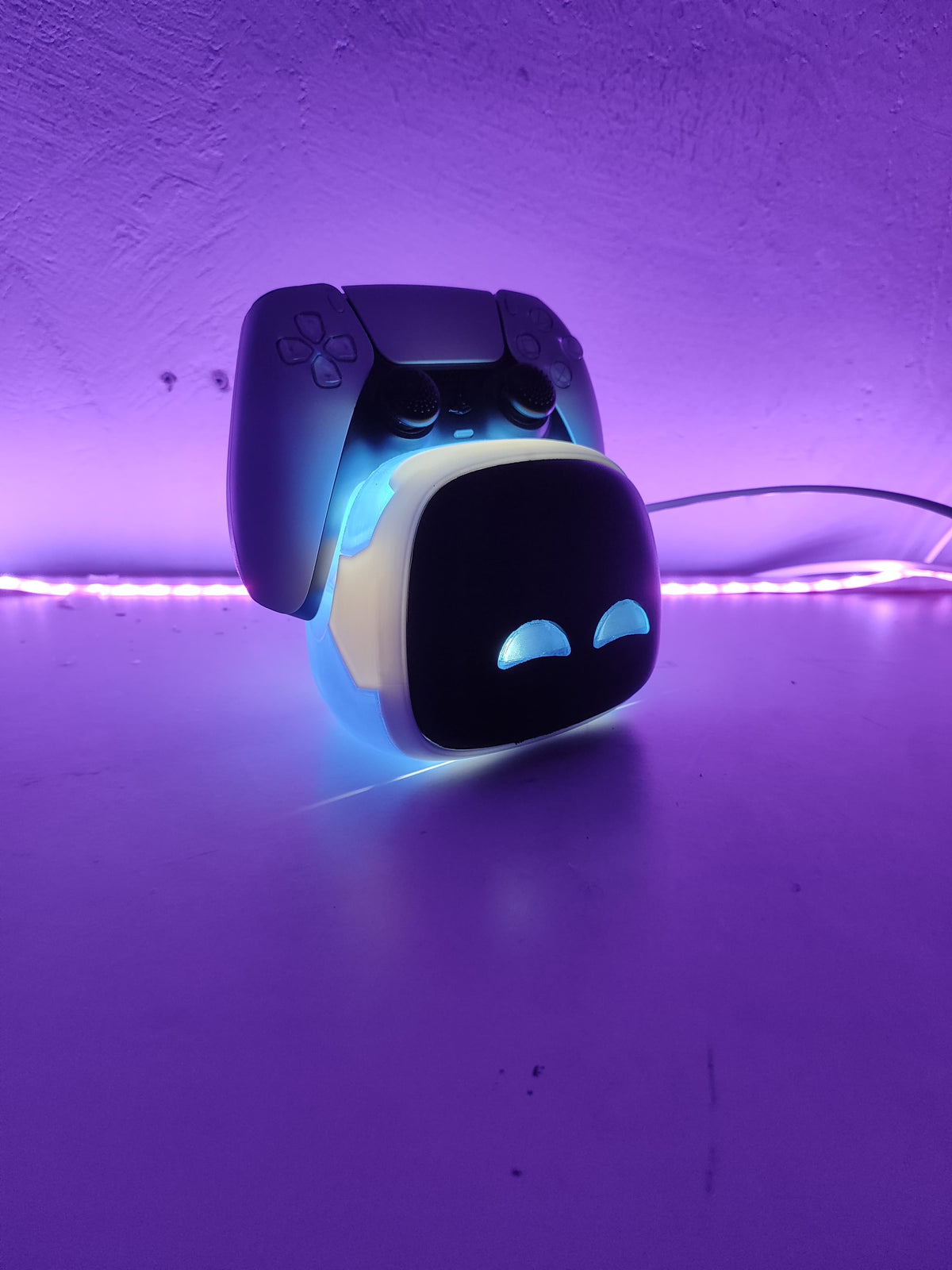
A controller left on the desk collects dust and scratches. A themed stand keeps it safe and on display between sessions. The Astro Bot Controller Stand is a favorite for PS5 owners, and the PlayStation 5 Icons holder is a more minimal option.
Recommended: Astro Bot Controller Stand (from €24.90) or PlayStation 5 Icons Controller Holder (€20.00)
Step 2: Get the headset off the desk

Headsets draped over monitors are the classic desk clutter. A dedicated stand protects the headband and clears space instantly, and this Meowth doubles as a controller holder for the desk organizer treatment.
Recommended: Meowth Controller Holder & Headphone Stand (€39.00)
Step 3: Dress up the console dock

The dock is the visual center of a Switch setup, so make it part of the theme. A themed dock cover like the Super Mario Dock for Nintendo Switch 2 turns a plain plastic block into decor.
Recommended: Super Mario Dock for Nintendo Switch 2 (€30.00)
Step 4: Give a second controller a spot

Many gamers keep a spare controller in rotation. The Wolverine claw display stand holds the PS5 DualSense between three silver adamantium claws, a bold Marvel piece that keeps the backup ready and the desk on theme.
Recommended: Wolverine DualSense Controller Holder - PS5 Claw Display Stand (€29.90)
Step 5: Add light and atmosphere

Good lighting changes everything in a gaming room. This One Piece hidden scene LED lamp reveals a secret detail when lit and fills the desk with anime atmosphere.
Recommended: One Piece Hidden Scene LED Lamp (€40.00)
Step 6: Put your achievements on display

The finishing touch: something that celebrates the player. A 3D printed Platinum Trophy Replica makes the desk feel earned, not just decorated.
Recommended: PS5 Platinum Trophy Replica (from €49.00)
Ready for the holidays
With a stand for the controller, a home for the headset, a themed dock, organized games, some light, and a trophy on the shelf, the desk is ready for the holiday marathons. Browse the full collection in our store to mix and match the pieces that fit your setup.
Μερίδιο:
How to Upgrade Your Gaming Desk Before the Holidays
How to Upgrade Your Gaming Desk Before the Holidays